

Top Self-Storage Software: Features, Benefits & Top Tools

  • Gabriel P. Goncalves Gabriel P. Goncalves

Share this post:

Introduction to Self-Storage Software: Features, Benefits & Top Tools

Operational leverage is just as important for scaling a self-storage portfolio as capital. For operators looking to grow beyond a single site, the primary constraint is rarely customer demand. It’s the administrative burden of managing that demand.

Consider a common scenario. A prospective tenant visits your rental website, selects a unit, and abandons the checkout. In a manual environment, you effectively lose that lead. In a modern, automated environment, the system instantly captures, segments, and re-engages that same prospect through an automated lead remarketing campaign, triggering follow-up emails or SMS messages, re-presenting availability and pricing, and converting demand without adding headcount. Without the right technology stack, expanding your footprint means increasing overhead, which dilutes Net Operating Income (NOI).

Modern self-storage software is the infrastructure that allows a portfolio to scale. Features like automation enable operators to absorb more leads, more tenants, and more facilities without a proportional increase in labor costs. Automated lead follow-ups, standardized communications, and portfolio-wide workflows allow operators to add new assets without needing to add an army of staff. Whether you are stabilizing a recent acquisition, preparing a portfolio for an institutional exit, or simply growing your business, your self-storage management software determines your ability to execute standardized workflows, enforce revenue management strategies, and maintain centralized control.

This guide explores the strategic role of self-storage management software in driving asset value, dissecting the features that enable true scalability, and comparing the top platforms powering the industry today.

Key Takeaways

  • Scalability: True enterprise-grade software breaks the linear relationship between portfolio growth and administrative headcount, directly impacting NOI.
  • Revenue Management: Automated ECRI (Existing Customer Rent Increase) and dynamic pricing are essential for maximizing Revenue Per Available Square Foot (RPSF) without manual intervention.
  • Asset Value: Institutional buyers demand audit-ready, GAAP-compliant accrual financials, which only robust storage facility management software can provide.
  • Automation: By orchestrating thousands of prospect and tenant interactions across leasing, follow-ups, collections, access, and notices without human intervention, operators achieve consistent, high-detail execution that accelerates cash flow, reduces OpEx, and protects NOI across the entire portfolio.
  • AI Readiness: The platforms getting real value from AI are the ones with an MCP server and a semantic layer underneath it, giving your own AI tools direct, secure access to live portfolio data instead of a chatbot reading the same static reports you already have.
  • Open Ecosystem: A closed platform locks you into one vendor’s rental website, access control, and pricing tools. An open, API-first ecosystem lets you connect the vendors you already trust and adapt your tech stack as your portfolio grows.
  • Software Cost: Pricing models vary widely, from flat commodity fees to legacy platforms that hide true cost behind add-ons. The real comparison isn’t the sticker price. It’s total cost once every necessary capability is included, weighed against the NOI a stronger platform can add back.

What Is Self-Storage Management Software?

Self-storage management software is a specialized property management system (PMS) designed to handle the unique operational lifecycle of storage units. Unlike residential or commercial PMS, storage unit software must handle high-volume turnover, short-term leases, delinquency lockouts, and intricate gate access integrations.

For a small business, self-storage software might simply be a tool to automate the collection of rent. But for institutional operators, it’s a comprehensive ecosystem that automates:

  • Operational functions: Move-ins, transfers, move-outs, and auctions.
  • Leasing: Digital contracts, e-signatures, and insurance add-ons.
  • Lead Conversion: Converting more leads into tenants.
  • Financials: Automated billing, tax calculations, and revenue recognition.
  • Customer Experience: Gate access codes and automated tenant communication.

The market distinguishes between self-storage software for small business, which prioritizes simplicity and low cost, and enterprise platforms like Monument, designed for complex, multi-site portfolios. A “simple” tool will cap your growth, while an enterprise solution provides the leverage needed to scale.

A few terms tend to get used interchangeably, but they aren’t quite the same thing. Storage unit software usually refers to the core system tracking unit status, availability, and pricing. Facility software is a broader term that can include the physical operations layer, like access control and maintenance tracking, alongside the core PMS. Rental software specifically covers the leasing and checkout experience, whether that’s your website, your e-signature flow, or your payment processing. A true enterprise platform folds all three into a single connected system, so an operator isn’t stitching together separate tools that don’t talk to each other.

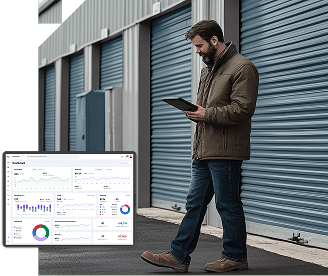
Self-storage software built for
high-performance operators

Why Self-Storage Facilities Need Scalable Software

Self-storage software is no longer just a utility for tracking rent. It’s the primary lever for operational efficiency and asset valuation. The industry has moved beyond the era of “mom-and-pop” management styles. Today, the difference between a stagnant portfolio and a high-performing REIT-ready asset often lies in the capabilities of the self-storage management software itself.

For operators aiming to grow the number of facilities they manage, the challenge isn’t just acquiring more units but managing them without a corresponding growth in overhead. True scalability requires a technology stack that disconnects revenue growth from labor costs, ensuring that every dollar of additional revenue flows more efficiently to the bottom line. The operators who get this right treat software selection as a capital allocation decision, not a line-item expense, because the platform they choose either compounds their growth or quietly taxes it.

The following table outlines how scalable software transforms key operational levers compared to traditional manual approaches:

Operational Lever
(Client Success & Support)
Manual / Legacy Approach Scalable Software (Monument’s Approach) Business Impact
Headcount & Labor Linear growth: Adding a facility means adding staff. Manual processing of delinquency letters and lockouts. Decoupled growth: Centralized ops manage unlimited units. Smart triggers automate notices and gate access lockouts. Reduced Payroll % / Higher NOI
Rent Increases Manual, sporadic, and emotionally driven. Managers hesitate to raise rates on long-term tenants. Automated ECRI (Existing Customer Rent Increase) based on data, tenure, and market demand. Maximized Revenue Per Square Foot (RPSF)
Acquisitions of Additional Facilities Slow integration; distinct legacy databases and bespoke workflows per site. “Plug-and-play” integration; rapid data migration and immediate application of standard SOPs. Rapid Asset Stabilization
Financials Fragmented spreadsheets; cash-basis accounting that requires manual reconciliation. Centralized, GAAP-compliant, accrual-based accounting with audit trails. Higher Asset Valuation / Exit Price


  1. Maximizing Operational Leverage: Breaking the Labor-Revenue Link

    The traditional management model is linear: if you double the number of facilities, you typically double the payroll. This is a trap that caps Net Operating Income (NOI).

    Scalable storage facility software breaks this linear relationship. By automating core functions like collections, move-ins, and auction processing, enterprise-grade automation allows operators to manage significantly increasing unit counts without a proportional rise in administrative headcount.

    Overcoming Operational Fragmentation

    Without scalable software, operators are forced to manage facilities as isolated “islands.” A regional manager may need to log into separate systems for 15 different facilities to analyze performance or adjust pricing, resulting in wasted time and inconsistent processes. Scalable storage facility management software, such as Monument, resolves this by offering a portfolio-first architecture, allowing leaders to:

    • Centralize Control: Execute bulk actions (such as applying delinquency rules or rate changes) across custom sets of properties (e.g., “all stabilized properties”) rather than one by one.
    • Standardize Workflows: Ensure that critical tasks like move-ins and collections are handled consistently across all locations to reduce compliance risks and errors.

    This kind of centralized control also changes how a portfolio absorbs growth. Instead of rebuilding delinquency rules, ECRI schedules, and lead follow-up sequences from scratch every time a new facility joins the portfolio, that property simply inherits the rule set already running everywhere else. A newly acquired facility doesn’t just get added to the platform. It gets folded directly into the same operational standard as every other property, on day one rather than after months of manual process-building.

    This matters even more for operators managing facilities on behalf of other owners. See our guide to 3rd-party self-storage management for a closer look at how centralized, portfolio-wide control affects third-party managers specifically, including how it simplifies owner reporting and keeps operations consistent across properties you don’t own outright. 

    Reducing Labor Costs Through Automation

    To scale profitably, operators must decouple revenue growth from expense growth without sacrificing lead capture or conversion velocity. Enterprise-grade software leverages automation not only to reduce the manual workload on call centers and site managers, but also to systematically increase top-line revenue by ensuring every lead is followed up with speed and consistency. With Monument, this includes:

    • Smart Triggers: Automating communications, notices, and delinquency management based on specific tenant behaviors (e.g., “invoice past due”).
    • Automated Lead Follow-Up: Immediate SMS and email engagement for new and stalled leads, executed at scale across the portfolio, dramatically improving conversion rates compared to manual call-center outreach.
    • Abandoned Cart & Lead Capture: Automatically converting incomplete online rentals into actionable leads, triggering follow-up campaigns that recover otherwise lost demand and increase occupancy without incremental staffing costs.
    • Contactless Leasing: Providing a mobile-first, friction-free rental experience that allows tenants to move in without staff intervention, meeting modern consumer demands.

    Implementing automated or “unmanned” management models can reduce staffing costs by up to 40%, a key lever for profitability, especially in smaller facilities. The effect compounds across a portfolio too. A regional team that used to spend hours each week manually reviewing delinquency queues at 20 separate facilities can instead review exceptions flagged by the system, spending their time on the accounts that actually need judgment instead of the routine ones that don’t.

  2. Driving Revenue Through Data-Driven Agility

    Revenue management is the single most effective way to increase the value of a storage asset, yet it’s often the most neglected because of fear of tenant churn or lack of data visibility. It comes down to three levers:

    • Optimizing conversions. Turning more prospects into tenants. 
    • Maximizing revenue per unit rented. Increasing what each tenant pays at move-in.
    • Managing Existing Customer Rent Increases (ECRI). Growing what each tenant pays over the life of the lease. 

    Each lever moves a different part of the revenue equation, and they build on each other. More conversions grow occupied revenue, and higher revenue per unit lifts what each of those tenants pays.  ECRI then protects that revenue while market rates rise around a static lease. Strong operators run the three as one connected discipline, since a gap in any one caps what the other two can deliver. Many operators struggle to execute at scale because legacy platforms weren’t built to support it.

    Optimizing Conversions

    Demand in self-storage is local and shifts quickly, so every step between a search and a signed lease affects how many prospects become tenants. The digital side of that funnel carries real weight. SmartStop Self Storage REIT reported that about 50% of its new customers in 2024 rented directly through its call center or website without ever visiting a property. A share that large means the conversion funnel is where many rentals are won or lost, so it deserves the same attention as pricing.  These are the levers that matter most:

    • Promotions tied to occupancy. A dip in occupancy on a unit size triggers a targeted promotion through your website software, capturing high-intent traffic right away.
    • Frictionless online checkout. A rental website connected to live inventory lets prospects find a unit, sign a lease, and pay in one visit with minimal required information.
    • Web rates beside street rates. Showing a discounted web rate next to the higher street rate gives prospects a reason to book online.
    • Abandoned cart capture. Prospects who leave before finishing become leads instead of lost traffic.
    • Automated lead follow-up. Timely email and SMS sequences keep those leads moving toward a move-in without adding work for site teams.

    Tracking conversion rate at each step shows where prospects drop off and which fixes are worth making first.

    Maximizing Revenue Per Unit Rented

    What the tenant will pay is determined during the checkout process. Flat rates and gut-feel adjustments leave significant revenue on the table. Scalable software provides the sophistication usually reserved for Real Estate Investment Trusts (REITs), including:

    • Dynamic pricing. Algorithms adjust rates based on real-time inventory and market demand. A unit type such as 10×10 climate-controlled that reaches 90% occupancy gets its remaining units priced at a premium automatically.
    • Guided unit selection. Good-Better-Best options encourage prospects to choose premium units, such as those closest to the elevator.
    • Add-on capture. Tenant protection tiers and optional services like 24/7 access increase the size of the initial transaction.

    This approach keeps Revenue Per Square Foot (RPSF) in step with inflation and market demand, which supports the asset’s capitalization value.

    Existing Customer Rent Increases (ECRI)

    ECRI protects revenue over the life of the tenancy, but a poorly targeted increase can cost you the tenants you most want to keep. A flat, portfolio-wide increase treats a long-tenured tenant with a spotless payment history the same as one who’s already shown price sensitivity, like a late payment or a call to the office after the last increase. Segmenting tenants by that behavior before an increase goes out, rather than after move-outs show up in the numbers, is what separates revenue management from a blunt annual rate bump.

    Automated ECRI workflows analyze each tenant’s sensitivity to churn, so rent grows with fewer move-outs. Tracking incremental revenue and churn after each round shows which segments can take larger increases and which need smaller ones.

    The Role of AI in Revenue Management

    Automation runs the pricing and ECRI rules that you set. AI decides what those rules should be, with the ability to insert human oversight where needed. For example, instead of raising every tenant’s rate by the same percentage on the same date, AI can flag which tenants are likely to push back before a notice goes out, adjust the size of an increase based on that tenant’s history, and time pricing changes around actual demand instead of a fixed calendar.

    A few ways this shows up in day-to-day revenue management:

    • Churn prediction before ECRI notices: AI models tenant behavior, like payment history, tenure, and reactions to past increases, to flag which accounts are most likely to move out, so operators can adjust the size or timing of an increase before it goes out.
    • Real-time demand pricing: Instead of a static rate table, AI can shift pricing throughout the day based on live occupancy and lead volume, capturing more revenue when demand spikes and holding rates steady when it doesn’t.
    • Competitive rate benchmarking: AI automatically pulls nearby competitor pricing and flags when a unit type is priced out of line with the local market, a task that a manual survey would otherwise take days to complete.

    Monument’s roadmap moves these capabilities from analysis to action in stages. Today, an MCP server (Model Context Protocol) and a built-in semantic layer, both included at no additional cost, give AI assistants like Claude, ChatGPT, or Gemini secure access to live portfolio data. The semantic layer defines how each metric is calculated, from physical versus economic occupancy to ECRI effective dates, so answers match what operators see in their own dashboards. 

    The next stage in our product roadmap adds Monument’s own agents, which handle the storage work behind the operator’s AI assistant. A regional VP could ask to raise rates on the lease-up portfolio wherever there’s room, and Monument’s agent would score eligibility across the segment, draft the notices, and queue the increases for approval within the churn guardrails the automation engine already respects. After that, Monument’s agents will watch for problems on their own, such as delinquency concentrating in a handful of accounts, and bring them to the operator with a proposed plan before acting.

  3. Streamlining Property Acquisitions and Standardization

    For property aggregators and investment groups, the speed at which a new asset reaches stabilized occupancy often decides whether the acquisition succeeds. The facility management system (FMS) you choose sets that pace. Four capabilities matter most when you’re bringing a portfolio on board:

    • Historical data migration. Bringing over the records that run the facility.
    • Payment token migration. Keeping autopay collections uninterrupted.
    • Segment assimilation. Applying your existing rules and analytics on day one.
    • Open integrations. Keeping the gates, locks, and vendors already in place.

    Migrating Historical Data

    Inheriting a legacy database or a shoebox of leases is a liability until the records land in a system built to use them. Tenant records, lease terms, ledgers, balances, and delinquency history all feed decisions you’ll make in the first 90 days. Rent history shapes your ECRI strategy, and delinquency aging drives your collections plan. Before you commit to an FMS, ask about these points:

    • What data will come across. A complete migration carries tenant communication notes, payment history, and account details along with active leases.
    • How far back it goes.  Multiple years of rent and payment history give your ECRI and collections plans a stronger baseline than a single month or quarter.
    • Who does the work. A managed migration keeps your team focused on operating the asset instead of cleaning data.
    • How records are validated. Balances and lease terms should reconcile against the seller’s data before go-live.
    • Where your team trains. A sandbox environment lets managers learn the system before tenants are affected.

    Migrating Payment Tokens

    One of the most overlooked acquisition risks is what happens to tenant payment data during the transition. An FMS that can’t transfer credit card tokens forces every tenant to re-enter payment information manually. That often leads to missed payments and accounts receivable (AR) problems right when you can least afford them. Autopay tenants are also your most predictable cash flow, so losing that enrollment slows stabilization.

    Token portability depends on the payment processor involved, so confirm compatibility and costs during due diligence and before close. A platform built for acquisitions handles the transfer as a managed part of onboarding. Tokens, lease terms, and tenant records move over together, so collections continue from the first billing cycle after close.

    Assimilating New Facilities Into Existing Segments

    A new facility should join your portfolio structure on day one, without anyone rebuilding the rules that already work. Operators should be able to group facilities using any segmentation they define, including leasing stage, market tier, region, or brand. Once those new facilities join a segmentation, the system should apply what’s already in place. That includes:

    • Delinquency rules. Collections sequences apply the same way they do everywhere else.
    • Pricing and promotions. Rate plans and specials carry over to the new asset.
    • Standard operating procedures (SOPs). Task and communication workflows match the rest of the portfolio.
    • Dashboards and reports. The facility appears in your analytics immediately.

    A newly acquired lease-up asset can join your lease-up segment and be benchmarked against similar facilities from the first week. Rebuilding this structure site by site takes time and introduces inconsistency between facilities. Reusing it keeps the new asset moving toward stabilization at the same pace as the rest of your portfolio.

    Avoiding the “Walled Garden” Trap

    What happens when you acquire a facility whose gate system your software doesn’t support? Legacy platforms often restrict which vendors you can connect, which leaves you replacing working hardware or running the new site outside your main system. Modern platforms built for scale take an open ecosystem approach instead, letting operators connect a wide range of third-party vendors. That means the one-off gate provider at your newest facility works with the rest of your portfolio from day one.

  4. Protecting Asset Valuation and Compliance

    Ultimately, the goal of most operators is to exit or refinance at a favorable cap rate. Institutional investors and REITs don’t just buy buildings. They buy income streams verified by data.

    Eliminating Data Silos for Better Decision Making

    A major pain point for growing operators is the inability to get a unified view of business health. Without centralized software, executives spend hours manually aggregating spreadsheets from disparate systems. Scalable solutions offer:

    • Unified and Dynamic Reporting: A “single source of truth” that consolidates data across the entire portfolio.
    • Investor-Grade Analytics: The ability to generate sophisticated, real-time reports required by institutional investors and stakeholders, rather than relying on delayed or manual updates.

    The difference shows up most clearly at reporting time. An operator preparing a quarterly update for capital partners with fragmented, facility-by-facility systems is often looking at days of exporting, reconciling, and reformatting data before the numbers are presentable. A centralized platform with real-time, portfolio-wide analytics can produce that same investor-grade report in a fraction of the time, freeing that time for actual analysis instead of data assembly, and giving stakeholders confidence that what they’re looking at reflects the business today, not three weeks ago.

GAAP Compliance

To maximize asset value and achieve a favorable cap rate upon exit, financial reporting must be impeccable. Scalable self-storage reporting software ensures consistent adherence to GAAP (Generally Accepted Accounting Principles). Unlike basic cash-basis tools, enterprise platforms support accrual accounting and private equity-grade accounting that integrates seamlessly with general ledgers. If your accounting software for self-storage business cannot produce a clean, consolidated P&L across multiple entities, you risk devaluing your portfolio during the sale process.

Monument runs both cash-basis and accrual-basis GAAP accounting natively against the same transaction, with automated daily journal entries. Operators get one set of books with two views, so there’s no reconciliation project between them. The gap in competing platforms is architectural, because dual-basis support has to be designed into the ledger from the start. A platform that treats cash as its native basis can add an accrual report later, but it can’t make the underlying transaction carry both views after the fact. That makes this one of the clearest dividing lines between software built for a single facility and software built for a portfolio with outside capital behind it.

Cash-basis-only systems leave operators building the accrual set by hand, usually in a spreadsheet reverse-engineered from exports each quarter. That spreadsheet stays accurate only as long as the person maintaining it stays in the role, which makes this shadow ledger the real source of exposure. It tends to fail at the moments that matter most, such as a refinance, a capital raise, or a REIT-level exit, where the diligence timeline is fixed and the numbers either reconcile or they don’t. It also limits what an operator can pursue, because institutional capital moves slowly on a portfolio that can’t produce investor-grade financials on demand.

Key Features of Modern Storage Unit Management Software

When evaluating software for storage units, look beyond the interface. Interrogate the workflow. Each of the five areas below maps to one of the core pillars covered in our guide to storage unit solutions: Operations, Leasing, Revenue Management, Analytics & Insights, and Integrations. Here’s what to look for in each.

  1. Operations and Portfolio-Wide Facility Management

    Operational consistency is usually the first thing to break down as a portfolio grows. A platform built for a single facility handles inventory fine at one site. A portfolio needs the same standards enforced everywhere, without a regional team manually touching every location. Your software should serve as the system of record for all your inventory and support:

    • Unit status tracking: Available, Reserved, Occupied, Maintenance, Auction, and Unrentable statuses updated in real time.
    • Visual maps: Interactive facility maps for staff and customers.
    • Maintenance logs: Door repairs and heating, ventilation, and air conditioning (HVAC) issues tracked in the tenant record, with automated tasks sent to maintenance teams.
    • Two-way messaging: SMS and email built into each tenant profile.
    • Automated tenant communication: Card-declined notices, rent reminders, and delinquency notices sent by trigger, with no manual follow-up.
    • Portfolio-wide consistency: Standard operating procedures (SOPs) enforced across every location. Grouping facilities into custom sets and applying automation rules to an entire set at once is what separates a portfolio-grade platform from a single-site tool stretched to cover more locations.
  2. Leasing Through Online Rentals, Reservations, and Waitlists

    A conversion-optimized rental site works as your highest-performing leasing agent, around the clock. Prospects expect to find available units quickly, sort by size and features like climate control, and filter by location. A site that only lists facility details and a phone number sends that demand to competitors or costly third-party marketplaces. Your self-storage rental software must support:

    • Digital move-ins: Rentals completed at any hour without speaking to staff.
    • Real-time inventory sync: Pricing and availability pushed from your backend to your website the moment they change, preventing double-rentals and making sure a new dynamic rate reaches prospects right away.
    • E-signatures: Legally binding leases generated and signed instantly, with no manual step.
    • Frictionless checkout: A short path from search to gate code, covering identity verification, protection plan selection, e-signing, and mobile payment options like Apple Pay and Google Pay.
    • Good-better-best unit selection: Options like “Standard” vs. “Close to Elevator” at checkout that lift Revenue Per Square Foot (RPSF) without staff involvement.
    • Abandoned cart lead capture: Incomplete rentals captured as leads automatically, with follow-up campaigns that re-present availability and add-ons like protection plans.
    • SEO and local visibility: Fast load times and proper site structure that help your facility rank for high-intent searches like “storage near me” and appear in Google’s Local Pack through search engine optimization (SEO).
    • Reputation management: Automated review requests and centralized Google Reviews monitoring to grow review volume and strengthen local search performance.
  3. Revenue Management, Billing, and Payments

    With fewer people searching for storage right now, revenue from the tenants you already have carries more weight. Flat-rate pricing and gut-feel rent increases leave money on the table, and failed payments erode revenue you’ve already earned. Look for tools that protect Net Operating Income (NOI) across the full billing cycle:

    • Dynamic rate plans: Pricing rules set by facility, unit group, or occupancy level and adjusted by demand-based triggers.
    • Data-driven ECRI: Existing Customer Rent Increase (ECRI) recommendations calibrated to tenant behavior and churn sensitivity, with rate increase letters sent automatically.
    • Market benchmarking: Competitor rate comparisons built into the pricing workflow.
    • Targeted promotions: Discounts applied to specific facilities or unit groups to move excess inventory.
    • Recurring billing: Automated credit card and Automated Clearing House (ACH) processing.
    • Automated card retries: Soft-declined cards retried automatically to recover payments before late fees apply.
    • Proration: Automatic partial-month calculations at move-in and move-out.
  4. Analytics, Insights, and GAAP-Compliant Accounting

    Investors and lenders expect portfolio data you can defend, and most legacy systems leave you building it by hand. Operators on legacy platforms often log into multiple systems, export spreadsheets, and convert cash-basis financials to accrual every time a capital partner asks. Monument is the system of record for all revenue, a true revenue sub-ledger that can integrate directly into your general ledger (GL). Every dollar of rental revenue, every credit, and every deferral is recorded on both a cash and accrual basis on the same transaction, then posted to your GL in QuickBooks, Xero, Yardi, or NetSuite. Look for a platform that delivers:

    • GAAP-compliant accrual accounting: Cash and accrual reporting produced natively under Generally Accepted Accounting Principles (GAAP), with automated daily journal entries.
    • Source-level revenue tracking: Payments, credits, and deferrals recorded at the source and sent to your GL as debits and credits, with no double entry or manual reconciliation.
    • Custom portfolio views: Key performance indicators (KPIs) for any facility set you define, such as lease-up assets, a single state, or one management team.
    • E-commerce funnel reporting: Portfolio-wide visibility into who rented, who dropped off, and which price points or unit types underperformed.
    • Investor-grade reporting: Dashboards built for ownership and capital partners, ready without a separate spreadsheet build.
  5. Integrations With Access Control and Third-Party Systems

    Being locked into a vendor’s closed ecosystem is one of the strongest concerns operators raise when they evaluate a new platform. Many operators have spent years on legacy software that won’t connect to the gate controls, cameras, and access tracking they’ve already installed across dozens of facilities. An open, API-first (application programming interface) platform solves this by acting as a central hub that connects to the vendors you’ve already chosen.

    Access control is where this matters most. Operators with established relationships with providers like OpenTech or Swivel shouldn’t have to give those up or renegotiate hardware contracts to switch management software. The right platform adds automation and intelligence on top of your existing hardware, so your access control works harder without being replaced. Look for:

    • Access control sync: Real-time connection to the gate and door systems you already use.
    • Automated lockout: Gate codes suspended automatically when a tenant becomes delinquent.
    • After-hours access: Codes generated the moment an online rental is complete.
    • Bluetooth entry: Support for mobile-first smart locks and app-based access.

    The same principle extends beyond access control to the rest of your tech stack. An open API lets you choose the strongest tool for each function instead of settling for whatever comes bundled with a closed platform. That includes:

    • Pricing optimization tools that feed your revenue strategy.
    • Third-party rental websites for operators who’ve heavily customized their existing site.
    • Reputation management systems that monitor and grow your reviews.
    • Tenant protection providers you already have agreements with.
    • Chatbots that handle prospect and tenant questions.

    For portfolios where the tech stack has been built and refined over years, that flexibility is a real competitive advantage. You keep the tools that are working, replace the ones that aren’t, and avoid rebuilding your operation around a single vendor’s limits.

The Role of AI in Self-Storage Software

AI is showing up in nearly every software pitch operators see this year, and it’s worth understanding what actually makes it work before you buy into any of it. The short version: automation runs the rules you set, but AI takes it a step further. It reads your data, spots patterns, and hands back a recommendation a human team would otherwise have to build by hand. For a portfolio of any real size, the technology underneath that AI matters as much as the AI itself. A chatbot bolted onto a single facility’s data can only tell you what that facility’s reports already show. An AI assistant connected to structured, portfolio-wide data can tell you things no single report ever could, because it’s correlating patterns across every property at once. 

The Technology Behind AI in Self-Storage Software

A connected AI assistant is only as good as the data foundation it’s built on. Two pieces make that foundation work:

  • An MCP server. This is the connection point that lets an AI assistant, whether that’s Claude, ChatGPT, or Gemini, securely query a platform’s live operational data. Without it, any AI tool you connect only sees whatever the vendor chooses to hand over, usually a static export or a summary report.
  • A semantic layer. This defines what each metric actually means before an AI assistant ever touches it, like the difference between economic and physical occupancy, or which aging bucket a delinquent account falls into. Without it, an AI assistant has to guess at definitions and can easily get them wrong.

The depth of that connection decides how useful the answers are. A shallow connection to a daily summary export produces generic, one-size-fits-all suggestions. A deep connection to live, structured data across your whole tech stack produces answers calibrated to your actual portfolio. This is also the fastest way to tell a genuine AI integration from a marketing claim. Ask a vendor to show you the connection live: type a specific, plain-language question about your own portfolio and see what comes back. A platform with a real MCP server and semantic layer answers with numbers pulled from your operational data. One without it either can’t answer at all  or answers with something generic enough to apply to any operator in the industry.

Security is worth asking about too, since giving an AI assistant access to your data raises an obvious question about who can see what. A properly built MCP server keeps your login credentials on the vendor’s own servers and never passes them to the AI assistant itself, so the assistant gets access to information, not to the keys protecting it. Every connection should run through modern authentication standards, and you should only ever see your own portfolio’s data, never another operator’s. It’s also worth asking how the connection handles updates. A well-built server only pulls what’s changed since the last check instead of re-downloading your entire dataset every time, which keeps the connection fast and inexpensive to run even as your portfolio grows.

For a full breakdown of how this works, including what a connected AI assistant can tell you about delinquency, ECRI, leads, and pricing, see our guide to AI property management software.

How to Use AI in Your Self-Storage Facility

Self-storage AI already touches more of your operation than most operators realize. Here’s where it shows up today:

  • Leasing: AI ranks units by conversion likelihood, answers rental questions after hours through a chatbot, and recovers abandoned carts with follow-up offers that have worked before.
  • Revenue management: AI models churn risk before an ECRI notice goes out, adjusts rates by real-time demand instead of a flat schedule, and benchmarks your rates against nearby competitors automatically.
  • Delinquency and collections: AI flags at-risk accounts before a payment is even late, then matches the tone and timing of outreach to what’s worked for that tenant before.
  • Portfolio operations and reporting: AI surfaces a vacancy or conversion problem at one facility before it shows up in a monthly report, and turns raw data into investor-ready reporting in minutes instead of days.
  • Marketing: AI forecasts seasonal move-in spikes by market and unit type, and targets promotions only where occupancy actually needs the push.
  • Security: AI flags unusual camera activity and gate access patterns that don’t match a tenant’s normal behavior, so staff review only the moments that matter.

The clearest wins right now are in leasing response time, rent increase decisions, delinquency prediction, and portfolio-wide reporting. You don’t need to automate everything at once. Start with the use case that solves your biggest pain point, then expand once you can measure the result against your current process. A useful way to sequence this: pick the one workflow costing your team the most manual hours today, run it as a pilot on a subset of facilities, and confirm the numbers improve before rolling it out portfolio-wide. Trying to automate every department simultaneously tends to stall out, while a single proven win builds the internal case for the next one.

Self-Storage Solutions: Key Features of Monument

Monument’s platform is built around eight capabilities that work together to run a portfolio, not just a single facility. Here’s a quick look at each. For the full breakdown, read our complete guide to self-storage solutions.

  • Portfolio Segmentation with Navigator: Build custom facility sets by any dimension that matters, like unit count, leasing stage, geography, or brand. Act on an entire set at once instead of facility by facility.
  • Automation: Set detailed, operator-defined rules for leads, tenants, and delinquencies, and let the system run them the same way every time, at every facility, without depending on staff follow-through.
  • Revenue Management: Maximize Economic Occupancy through rental website conversion, lead capture, dynamic rate plans, and an automated ECRI workflow, capturing revenue from the tenants and leads you already have.
  • Insights: Get more than 100 purpose-built business graphs across operations, leasing, revenue, and investor reporting, updated in real time instead of sitting in a monthly export.
  • True Accrual Financials: Monument is the system of record for all revenue, a true revenue sub-ledger that can integrate directly into the operator’s general ledger. Run cash accounting day to day while producing GAAP-compliant, audit-ready accrual financials for lenders and investors, without manual spreadsheet conversion.
  • Integrations: Connect to more than 40 third-party vendors through an open API, so your tech stack works together instead of locking you into one vendor’s tools.
  • AI-Ready: A built-in MCP server and semantic layer let your own AI assistant securely query live portfolio data and get answers calibrated to your business, not generic averages.
  • White-Glove Client Success: Get a US-based Client Success team that owns the outcome with you, including migration and onboarding, instead of an offshore ticket queue.

Open vs. Closed Self-Storage Software Ecosystems

The software you choose either locks you into one vendor’s tools or lets you pick the best tool for each job. A closed ecosystem forces you to use that vendor’s own rental website, access control, tenant protection, and pricing tools, whether or not they’re the best fit for your business. An open, API-first ecosystem doesn’t. It lets you connect the vendors you already trust and already have relationships with, and it grows with you as you add new integrations over time.

This matters because no single vendor builds the best rental website, the best gate hardware, and the best pricing engine all at once. Choosing an open platform means:

  • You pick the best tool in each category instead of settling for a bundled one.
  • You can add or swap integrations as your portfolio’s needs change.
  • You’re not betting your entire tech stack on one company’s roadmap.

Other Specialized and Emerging Technologies in Storage Business Software

Other AI-driven systems are revolutionizing how self-storage software technology contributes to better operations and overall management, even when you have a large portfolio of facilities distributed across multiple regions.  

Internet of Things (IoT) & Smart Access

IoT is turning physical facilities into something you can monitor and control from anywhere. A few examples of what this looks like in practice:

  • Smart Locks & Digital Keys: Systems like Nokē, from Janus International, use Bluetooth and NFC to let tenants unlock their unit straight from a phone, with no physical key needed. Tenants can also share a digital key with a friend or family member for temporary access, and get an alert if the lock is tampered with. Access-control platforms like SpiderDoor take this further at the gate level, using cellular or internet-connected keypads that sync with your management software, so gate codes and access rules stay consistent whether a tenant rents online at midnight or walks up to the keypad in person.
  • Environmental Monitoring: IoT sensors in climate-controlled units track temperature and humidity around the clock and send a real-time alert the moment either one drifts out of range. That gives staff a chance to catch an HVAC problem before it damages a tenant’s belongings, instead of finding out during a complaint.
  • Smart Surveillance: AI-enabled camera systems, like ArcEye, combine motion detection and two-way audio to flag unusual activity in real time and intervene before a break-in happens, instead of just recording footage for someone to review later. That shift matters because most camera footage never gets watched until after an incident. AI-driven monitoring turns a passive recording system into one that actively catches problems as they happen.

Specialized Business Software Features

Beyond hardware, a new layer of software is changing how facilities run day to day and how operators see what’s happening across a portfolio.

  • Contactless & Unmanned Operations: Modern platforms support a fully remote model, letting tenants reserve a unit, sign a lease, and set up billing entirely online, without ever needing a staffed office.
  • Advanced Reporting & Data Visualization: Newer interfaces are making portfolio data easier to read at a glance. 6Storage’s “heat map” tool shows occupancy in a color gradient so managers can spot open or overcrowded areas visually instead of scanning a spreadsheet, while AG Grid reporting lets operators build highly customized views of facility metrics beyond what a fixed report template allows.
  • Robotic Assistance (Emerging): Robotics hasn’t reached self-storage the way it has warehousing and logistics, where autonomous mobile robots already handle pallet transport and picking at scale. A small number of self-storage operators are watching this space and piloting early concepts for automated item transport and security patrols, but it’s not yet a standard part of the self-storage technology stack.

How to Choose Top Self-Storage Facility Management Software for Your Facility

Whether it’s a quick Google search or asking AI to give you a list of self-storage software options, you’ll quickly find that there are tons of different tools available. It can be overwhelming to narrow  down your choice, as, at first glance most self-storage software may appear to be the same. While it’s true that there are fundamental features that overlap with many of the top options, if you’re managing an entire portfolio of facilities and looking for software that can handle that management, you’ll find that the capable software list is easier to narrow down. 

Here are the most important things to look for:

Area to Evaluate What to Ask or Look For
Portfolio vs. single-site Can you group facilities, run reports, and apply changes across a set at once, or only one at a time?
Segmentation flexibility Can you build custom facility sets by size, leasing stage, geography, market tier, unit mix, team, or brand?
Automation depth Do rules run automatically across a chosen facility group, and can you adjust conditions yourself?
Revenue and pricing Does pricing adjust to real demand, and does the rent increase workflow factor in tenant behavior?
Reporting and insights How many purpose-built insights exist, do they update in real time, and can you filter by custom facility group?
Accounting Does it produce GAAP-compliant accrual accounting alongside cash accounting?
Ecosystem openness Are you required to use the vendor’s own website, access control, and payment tools, or can you connect your own?
AI readiness Does your own AI tool get direct, secure access to live data (e.g., through an MCP server), or is it just a chatbot on static reports?
Total cost What’s included at each tier, and are there per-facility fees or add-ons that show up after signing?
Migration and data transfer Who handles the migration, do autopay tokens transfer without disrupting collections, and how long does it take?


  1. Confirm It’s Built for a Portfolio, Not Just One Site

    Ask whether the platform lets you group facilities, run reports, and apply changes across a set of properties at once, or whether it only works one facility at a time. A tool that forces you to log into each location separately just adds unnecessary time to your operations management. In addition, isolated data behind each login means you likely need to gather and download it from each site so it can be manually compiled into a report later, when an automation with access to centralized data could take care of that within minutes. The clearest way to test this during a demo is to ask the vendor to make a single change, like a rate adjustment or a new delinquency rule, and show you it applied across several facilities at once, live, instead of describing the capability on a slide.

  2. Check How Flexibly You Can Segment Your Portfolio

    Look for the ability to build custom facility sets along whatever dimension actually matters to your business: unit size, leasing stage, geography, market tier, unit mix, management team, or brand. A platform that only offers a fixed hierarchy forces you to work around its structure instead of your own. Ask specifically whether a facility can belong to more than one set at a time, since real portfolios rarely sort neatly into a single category. A Texas facility in lease-up, for example, needs to show up in both your geography-based and lifecycle-based reporting without you having to rebuild it twice.

  3. Test the Depth of Automation

    Every vendor says they offer automation, so ask for specifics. A platform worth considering should let you:

    Set rules for leads, tenants, and delinquencies that run automatically, without someone triggering them by hand
    Apply those rules to a specific group of facilities, not just the whole portfolio at once
    Adjust the rule’s conditions and timing yourself, instead of calling support to change a template

    Push further on the last point during a demo. Ask the vendor to change a rule’s trigger or timing on the spot. If that requires a support ticket or a developer, the automation isn’t as operator-controlled as the pitch suggests, and you’ll feel that friction every time your business needs change.

  4. Check How the System Handles Revenue and Pricing

    Look for dynamic pricing that adjusts to real demand, plus a rent increase workflow that factors in tenant behavior instead of applying the same flat percentage to everyone. Ask how the platform decides who gets an increase, and how it flags a tenant likely to move out over one. It’s also worth asking how the system handles new tenant pricing at the point of sale, not just existing tenant increases. A platform that only optimizes ECRI but leaves your street rates static is solving half the revenue problem.

  5. Look Past the Dashboard and Into the Reporting

    A handful of occupancy and revenue widgets isn’t the same as real business intelligence. Ask how many purpose-built insights the platform actually offers, whether they update in real time, and whether you can pull a report across a custom group of facilities or only the whole portfolio at once. A good test question: ask how long it would take to answer something specific, like which facility set has the highest tenant protection take rate this month. A basic reporting tool will require pulling and combining data by hand, while a real analytics platform surfaces the answer directly.

  6. Ask About Accounting, Not Just Billing

    Confirm whether the platform produces GAAP-compliant accrual accounting alongside cash accounting, especially if you report to lenders, investors, or ownership groups. A system that only handles cash accounting will leave you converting figures by hand every time someone asks for accrual numbers. Ask, too, whether that conversion happens automatically through daily journal entries or whether your team still has to reconcile it manually at month-end, since that’s often where the real time cost hides.

  7. Find Out How Open the Ecosystem Is

    Ask whether you’re required to use the vendor’s own rental website, access control, and payment tools, or whether you can connect the vendors you already use and trust. An open platform lets your tech stack grow with you. A closed one locks you into whatever the vendor happens to sell. Go a step further and ask how new integrations get built. A vendor that quotes a lengthy wait for a competitor’s tool while fast-tracking their own preferred partner isn’t running an open ecosystem, no matter what the marketing says.

  8. Ask What “AI-Ready” Actually Means

    Plenty of vendors will say they have AI. Ask if their platform gives your own AI tools direct, secure access to your live data, through something like an MCP server, or if “AI” just means a chatbot sitting on top of the same static reports you already have. The follow-up question worth asking is whether the metrics behind that AI are defined consistently across every facility. A tool answering questions from inconsistent, facility-by-facility data will give you inconsistent answers.

  9. Understand the Full Cost, Not Just the Sticker Price

    A low starting price can be misleading if the platform charges extra for features you’ll end up needing anyway. Ask for a full breakdown of what’s included at each pricing tier, and whether there are per-facility fees, payment processing markups, or add-ons that show up after you sign. A transparent, all-in price is easier to budget against than a low quote that grows once you’re locked in. Ask the vendor to model your actual unit count against their pricing tiers directly, rather than relying on a generic rate card.

  10. Ask How Migration and Data Transfer Actually Work

    Switching platforms is one of the biggest risks operators weigh, so get specific about what happens to your historical data and tenant credit card tokens during the move. Ask whether the vendor handles the migration for you or leaves it to your team, whether autopay tokens transfer without disrupting collections, and how long the process typically takes for a portfolio your size. Ask for a reference who’s gone through a migration of similar size and is now several months past go-live, not still in their first few weeks, so you’re hearing about the transition and what came after it.

    Walking through these ten questions with any vendor gives you a much clearer picture than a demo alone. The answers tell you whether a platform was actually built to run a portfolio, or just adapted to look like it can.

Self-Storage Software Cost: Common Models

Self-storage software costs break down into three common pricing models, and knowing which one you’re looking at matters more than the number on the quote. For the full breakdown, including a cap rate case study on what the wrong choice can cost a portfolio, see our complete guide to self-storage software cost.

  1. The Flat Monthly Fee (Commodity Model)

    This is the simplest structure, and it’s common among entry-level providers built for single-site operators. You pay one predictable fee per month or per facility. It works fine at a small scale, but these platforms tend to hit a ceiling fast. Enterprise-grade features like accrual accounting or portfolio-wide automation usually aren’t available at any price, because the platform wasn’t built to support them.

  2. The “Trojan Horse” (Legacy Incumbent Model)

    This model shows up most often with legacy incumbents. The entry price looks low, but essential functions like a real rental website, payment processing, or revenue management tools get sold separately as add-ons. By the time you’ve licensed what you actually need to run a professional operation, the total cost often matches or exceeds a premium, all-inclusive platform, without the benefit of a single connected system.

  3. The Shared Success Model (The Monument Approach)

    Monument prices per unit, per month, so your cost grows only as your portfolio does. Everything in the tier you choose is included, which keeps the quote and the invoice close to the same number. Here’s how that works across the factors that drive total cost:

    • Portfolio size and unit count: Pricing follows the units you manage, so your cost tracks the revenue potential of your portfolio. As you add facilities, pricing scales with them.
    • Feature tier and what’s included: Core, Pro, and Enterprise each list exactly what’s covered, and the rental website comes with every tier. You won’t find paywalled modules to add later.
    • No hidden fees: There are no per-facility charges or surprise add-ons after you sign.
    • Ecosystem openness: You can connect the third-party vendors you already rely on for access control, pricing, and more. You aren’t pushed toward one vendor’s own tools at a premium.
    • Migration and implementation: Monument’s team handles your data migration and autopay token transfer as part of onboarding. That means no separate project cost and less risk to your collections.
    • Support model: Monument’s US-based Client Success team owns the outcome with you. Your staff spends less time chasing unresolved issues, which is a cost that never shows up on an invoice.

Because these factors are built in rather than sold separately, the number that matters is total cost of ownership (TCO), not the headline rate. Weigh that full cost against the NOI that stronger revenue management and automation can add back. The clearest way to see it is to model your actual portfolio, unit count, facility count, and growth plans against each vendor’s complete pricing structure.

Frequently Asked Questions

How much does self-storage management software typically cost?

It depends on which pricing model a vendor uses. Some charge a flat monthly fee that stays low but hits a feature ceiling fast. Others use a low entry price and then charge extra for tools you’ll actually need, like a real rental website or revenue management. Others, like Monument, price per unit in transparent tiers with everything included, so cost scales with your portfolio’s revenue potential instead of growing through hidden add-ons. See our full guide to self-storage software cost for a detailed breakdown.

Software cost matters less than what the platform does for your revenue. The FMS you choose shapes your economic occupancy and NOI through pricing, rent increases, collections, and lead conversion. You can save hundreds of dollars on your FMS and still give up hundreds of thousands of dollars in NOI, so the better comparison is how much NOI each platform can add to your portfolio. 

Can I switch software without losing my tenant data or credit card information?

Yes, if the vendor runs a proper migration process. A white-glove migration should transfer your historical tenant records and autopay credit card tokens without requiring tenants to re-enter payment information or disrupting collections mid-transition. Ask any vendor you’re evaluating exactly how this works and how long it typically takes for a portfolio your size.

Can my self-storage management software act as a true revenue sub-ledger?

You’ll always need accounting software for your general ledger (GL). The job of your management platform is to originate and record every dollar of rental revenue, then hand clean debits and credits to that GL. A platform that does this well should:

  • Record every payment, credit, and deferral with GAAP treatment at the source.
  • Track both cash and accrual basis on the same transaction.
  • Produce automated daily journal entries.
  • Post directly to your GL in QuickBooks, Xero, Yardi, or NetSuite.

A platform that can’t do this leaves your team converting cash figures to accrual by hand every time a lender or investor asks for GAAP-compliant reports. Monument is the system of record for all revenue, a true revenue sub-ledger that integrates directly into your general ledger.

Is self-storage management software different for a single facility vs. a large portfolio?

Yes, significantly. Software built for one facility usually works fine at a small scale, but it tends to break down somewhere between ten and thirty locations. The problems compound quietly: reports that have to be pulled site by site, delinquency processes that vary by manager, and no single view of how the whole portfolio is performing. A platform built for portfolio scale lets you group facilities into custom sets and apply changes, automation, and reporting across an entire set at once.

How long does implementation and migration usually take?

This varies by vendor and portfolio size, but a well-run migration should feel like a managed process, not something your team has to figure out alone. Ask a prospective vendor for a reference who went through a migration similar in size to yours, and ask specifically how long that transition took from kickoff to going live.

Does self-storage management software work with my existing gate and lock system?

It depends on whether the platform is open or closed. An open, API-first platform connects to the access control vendors you already use, like PTI, Nokē, or OpenTech, instead of forcing you to replace hardware you’ve already invested in. A closed system may only work with its own proprietary access control tools, or support third-party hardware through a limited, clunky integration. Ask a vendor directly whether your specific gate and lock provider is a native, real-time integration or a manual, file-based one.

Can I keep using my current rental website, or do I have to switch?

Most platforms let you keep your existing website, but how well it connects matters. Some vendors support this through an iframe that embeds their checkout flow into your existing site, which works but loses some of the sophistication of a fully integrated rental website. If your current site is heavily customized and you’re not ready to switch, ask a prospective vendor exactly how the integration works and what functionality, if any, you’d be giving up.

What happens if my portfolio spans multiple states with different lien laws?

A platform built for multi-facility operators should have delinquency and lien compliance workflows that adjust automatically by state, not a single, one-size-fits-all process. Ask how the software handles lien timing, overlock triggers, and notice requirements for each state you operate in, and whether those rules update automatically when regulations change.

Will switching software disrupt my day-to-day operations during the transition?

It shouldn’t, if the vendor manages the process correctly. A well-run implementation includes a sandbox environment where your team can train before going live, plus a migration plan that moves your data and tenant payment information without requiring you to pause collections or leasing. Ask a vendor how they’ve minimized disruption in past migrations, and get specifics rather than a general reassurance.

Do I need to buy separate software for reporting to investors, or is that built in?

The better platforms build investor-grade reporting directly into the core system rather than requiring a separate business intelligence tool. Look for software that can generate a consolidated, presentation-ready performance update on demand, pulling straight from your operational and accounting data, instead of requiring your team to manually assemble one from multiple sources every time a capital partner asks for an update.

Conclusion

The era of a storage facility run on a spiral notebook is over. In today’s compressed cap rate environment, your choice of self-storage software is a direct driver of asset value.

Whether you need software for self-storage to automate a single unmanned site or a self-storage management system to control a national portfolio, the goal remains the same: operational leverage. By automating the mundane and surfacing the critical, the right software transforms your facility from a simple warehouse into a high-performance financial asset.

Book a demo with Monument today to discover how our enterprise-grade platform can maximize your portfolio’s potential.

Self-storage software built for
high-performance operators